Garmin Expedition Mode: What It Does and When to Use It
Learn how Garmin expedition mode works, which watches support it, and how it compares to UltraTrac. Get up to 65 days of battery life on the trail.

Garmin expedition mode is one of those features you probably won't use on a weekend day hike. On a multi-day trek through remote terrain, though, it could be the difference between a watch that lasts the trip and one that dies on day three. If you've ever worried about GPS battery life on longer expeditions, this guide covers exactly how Garmin expedition mode works, which devices support it, and whether it's the right choice for your next adventure.
What Is Garmin Expedition Mode?
Garmin expedition mode is an ultra-low-power GPS tracking mode that records your position once every 60 minutes. Between readings, almost all sensors and the screen are switched off, which dramatically extends battery life, often by a factor of ten compared to standard GPS tracking.
The trade-off is straightforward: you get far less detailed route data. Instead of the second-by-second tracking you'd see in normal GPS mode, expedition mode connects your hourly position points with straight lines. Your recorded trail will look angular and simplified, missing every turn, switchback, and detour along the way.
This mode is purpose-built for multi-day or multi-week expeditions where battery life matters far more than tracking precision. If you need accurate navigation or detailed trail data, standard GPS mode or UltraTrac is the better choice.
Which Garmin Watches Have Expedition Mode?
Expedition mode is not available on every Garmin device. It's found primarily on watches and handhelds designed for extended outdoor use.
Watches
- Garmin Fenix series (Fenix 6, 7, 8, and 8 Pro),the flagship multisport line, with full expedition mode support. The Fenix 8 (released 2024) delivers up to 65 days in expedition mode on the AMOLED version.
- Garmin Instinct series (Instinct, Instinct 2, Instinct 3, and Solar variants), rugged and affordable watches with expedition mode built in. The Instinct 3 (launched January 2025) features improved solar charging and an AMOLED display option.
Handheld Devices
- Garmin GPSMap series: dedicated handheld GPS units designed for backcountry navigation, with expedition mode for extended trips
Expedition Mode Battery Life
The battery gains from expedition mode are substantial. Here's how it compares across popular Garmin watches in different power modes.
Garmin Fenix 8 Battery Life (47 mm AMOLED)
| Mode | Standard |
|---|---|
| Smartwatch | 15 days |
| GPS | 70 hours |
| Multi-Band GNSS | 29 hours |
| Expedition mode | 65 days |
Garmin Fenix 6 Battery Life
| Mode | Standard | With Solar |
|---|---|---|
| Smartwatch | 14 days | 16 days |
| GPS | 36 hours | 40 hours |
| Max Battery GPS (UltraTrac) | 72 hours | 93 hours |
| Expedition mode | 28 days | 36 days |
| Battery saver | 48 days | 80 days |
Garmin Instinct 2 Battery Life
| Mode | Standard | With Solar |
|---|---|---|
| Smartwatch | 28 days | Unlimited |
| GPS | 30 hours | 48 hours |
| Max Battery GPS (UltraTrac) | 70 hours | 370 hours |
| Expedition mode | 32 days | Unlimited |
| Battery saver | 65 days | Unlimited |
The pattern is clear: expedition mode typically delivers 7 to 10 times the battery life of standard GPS tracking. For the Fenix 8, that means jumping from 70 hours of GPS tracking to 65 full days. Even the older Fenix 6 goes from 36 hours to 28 days.
Expedition Mode vs UltraTrac
Both expedition mode and UltraTrac (also called Max Battery GPS on newer models) are designed to extend battery life, but they work quite differently.
Expedition Mode vs UltraTrac
Expedition Mode
Multi-day expeditions where battery life is the top priority
Pros
- ✓GPS fix every 60 minutes (adjustable 15-90 min)
- ✓Battery life measured in weeks, not hours
- ✓Ideal for multi-week thru-hikes and expeditions
- ✓Solar models can achieve unlimited runtime
Cons
- ✕Very inaccurate trail recording
- ✕No real-time navigation capability
- ✕Heart rate and other sensors disabled
- ✕Straight lines between GPS points on your map
UltraTrac / Max Battery GPS
Long day hikes or short multi-day trips needing decent tracking
Pros
- ✓GPS fix every 60 seconds, far more accurate than expedition mode
- ✓Usable trail data and route recording
- ✓Real-time navigation still possible
- ✓Heart rate monitoring remains active
Cons
- ✕Battery life measured in hours/days, not weeks
- ✕Still less accurate than standard GPS mode
- ✕May not last a full multi-week expedition
When to Use Each Mode
Use expedition mode when you're heading out for a trip lasting a week or more and your primary concern is simply having a functioning watch at the end. You don't need precise route data. You just need to know roughly where you've been and have the watch still working when you return.
Use UltraTrac when you want a balance between battery savings and usable GPS data. A three-day weekend hike, for instance, is a perfect use case. You'll get a recognisable trail recording without burning through your battery in a single day.
Use standard GPS mode for day hikes and any situation where you want accurate navigation or detailed activity data. The battery cost is highest, but the data quality is incomparably better.
Other Ways to Extend Garmin Battery Life
Expedition mode is the most extreme battery-saving option, but there are several other approaches worth considering, especially if you don't want to sacrifice all your tracking data. For a full comparison of battery specs across the Garmin hiking watch range, see our Garmin battery life overview, which puts every GPS, smartwatch, and solar figure side by side.
Battery Life Toolkit
- Garmin Power Manager
Built-in feature on newer Garmin watches that lets you create custom power profiles, selectively disabling sensors and adjusting GPS frequency to match your activity.
 Lightweight power bankEssential
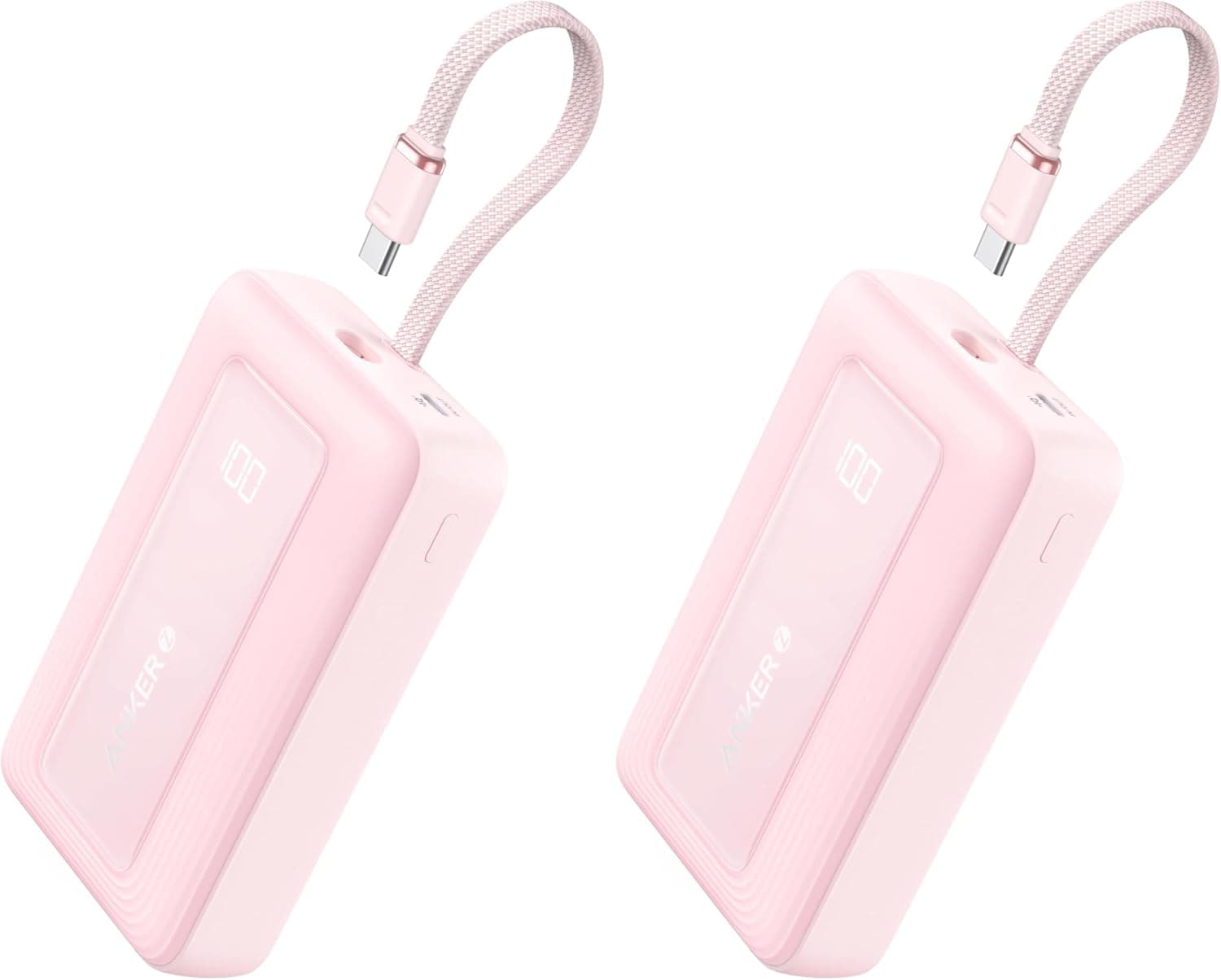
A power bank like the Anker Zolo (20,000 mAh, with a built-in cable) adds little weight to your pack and can recharge your Garmin many times over. Often more practical than compromising on GPS accuracy.
- Garmin charging cableEssential
Pack a short Garmin-specific charging cable so you can top up from a power bank on rest stops or in camp.
- Disable unused features
Turn off Bluetooth, Wi-Fi, wrist heart rate, pulse oximeter, and backlight auto-activation. Each small saving adds up over multiple days.
How to Activate Expedition Mode
Activating expedition mode varies slightly between devices, but the general process is the same:
- Press and hold the GPS/Start button on your Garmin watch
- Scroll through the activity list until you find Expedition
- Select it and press start. The watch will take its first GPS fix, then enter low-power mode
- To adjust the tracking interval, go into the expedition activity settings before starting (typically under Settings > Activities & Apps > Expedition)
On GPSMap handheld devices, you'll find expedition mode in the main menu under tracking options.
Who Should Use Expedition Mode?
Expedition mode is a niche feature by design, and that's perfectly fine. Here's a quick guide to whether it makes sense for your type of hiking.
Expedition mode is ideal for:
- Thru-hikers on trails lasting a week or more (PCT, Appalachian Trail, GR routes)
- Remote expeditions with no access to power for recharging
- Hikers who want a basic breadcrumb trail over many days without carrying extra batteries
- Backup GPS tracking when you're using a separate handheld for primary navigation
Expedition mode is not suitable for:
- Day hikes or weekend trips (standard GPS handles these easily)
- Any hike where you need real-time navigation
- Trail running, cycling, or activities requiring heart rate and performance data
- Situations where accurate route recording matters
If you're also weighing up the standard Instinct against the Tactical edition, our Garmin Instinct vs Tactical comparison explains all six software differences and whether any of them matter for hiking.
Frequently Asked Questions
Last updated on June 21, 2026.

Jasper Baetens
Hiking enthusiast from Belgium, mainly active in Europe. Created HikeHeaven to share experiences, research, tips, tricks and product recommendations, or simply to help other hikers.